.png?width=100&height=74&name=Logo_Nieuw_Zwart_Transp%20(4).png)
The internet connection is used to change settings and keep the heat pump software up to date. If the internet connection is lost, the heat pump will continue to operate normally. However, you will no longer be able to change settings, and our Support team will not be able to remotely monitor your system if you experience any problems.
If your Wi-Fi details are changing, or if you notice that your Control Unit is no longer connected to the internet (for example, because measurements are no longer visible in the App), follow the steps below.
Reconnect using the App
- Open the DeWarmte app
- If no internet connection is detected by the Control Unit, you will get a notification. Click this notification.
- The app will guide you through the reconnection process. This will have the following steps:
- Turn on Bluetooth on your mobile device.
- Ensure you are near the Control Unit. This device will appear as either 'A-XXXX', or 'M-XXXX'.
- Select the internet network you want to connect to and fill in the corresponding password.
- The App will indicate whether reconnection was successful.
Connecting via WPS
If reconnecting through the App was not succesful, try the following. Many internet routers have a WPS (Wi-Fi Protected Setup) function. This makes it easier to connect devices to your Wi-Fi network. Follow these steps to connect your Control Unit using WPS:
- Check whether your router has a WPS function. This can often be identified by a physical button on the router labeled
WPS. - Unplug the Control Unit power plug(s) from the power outlet.
- Press the WPS button on your modem/router until it indicates that WPS has been activated.
- Plug the Control Unit power plug(s) back into the power outlet.
The Control Unit will attempt to connect to the (new) internet connection.
Wired internet connection
To connect the Control Unit using a wired internet connection:
- Open the Control Unit by removing the cover.
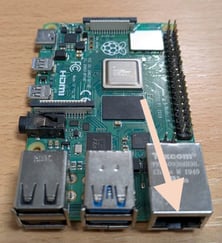
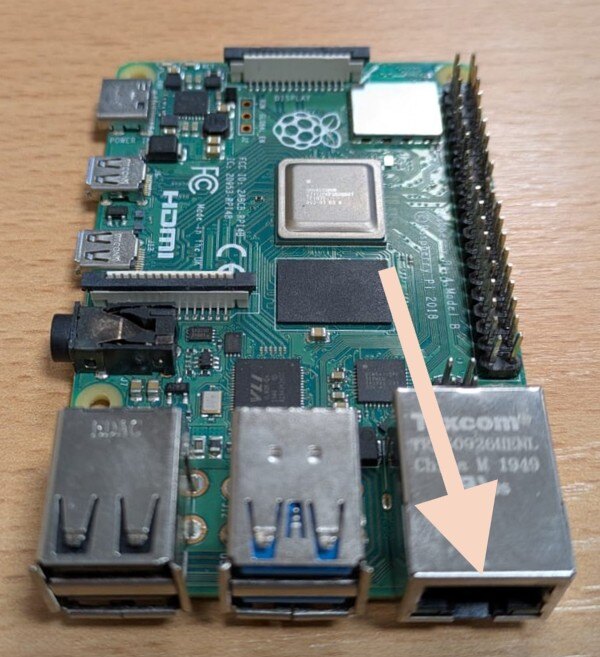
- Connect a LAN cable to the Ethernet port on the Raspberry Pi:
- Connect the other end of the LAN cable to your router or Wi-Fi extender.
- Once the Control Unit is connected to the internet, orange and green lights will illuminate on the Raspberry Pi Ethernet port.
- Provide the login details for your new internet connection to our Support team. They will remotely access your system and enter the new Wi-Fi details.
- Once Support confirms that the Control Unit is connected to your Wi-Fi network, you can disconnect the Ethernet cable.
Successful connection
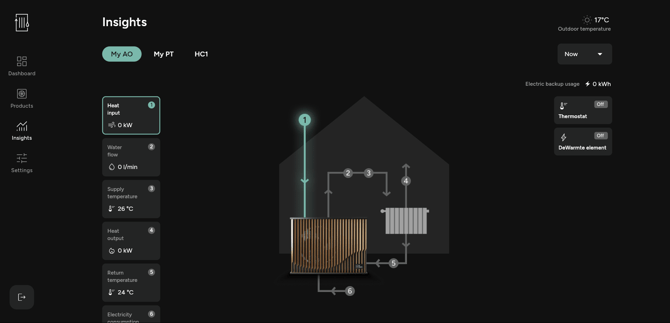
Once the connection has been successfully established, data from your heat pumps will once again be sent to our servers. You can verify this in the App: measurements will start appearing again under Insights for your product.